

C_THR92_2305試験問題集合格できるには更新された2024年07月テスト問題集
C_THR92_2305テスト問題練習は2024年最新のに更新された80問あります
質問 # 11
You are creating a query that lists employee information such as name, address, and dependent
information. The query uses Personal Information as the driving table and joins the Dependents and
Address tables. You notice many employees are missing from the result set.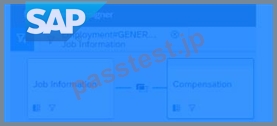
What are the reasons?
- A. Personal Information is joined to both the Dependents table and the Address table with an inner join.
- B. Personal Information is joined to Address table with a left join and the Address table is joined to the
Dependents table with a left join. - C. Personal Information is joined to Dependents table with a left join and the Dependents table is joined
to the Address table with a left join. - D. Personal Information is joined to both the Dependents table and the Address table with a left join.
正解:A
質問 # 12
What permission type applied to table reports is defined by a combination of the user's View
permissions and Target Population in role-based permissions?
- A. Field level permission
- B. Cell level permission
- C. Run report permission
- D. Row level permission
正解:B
質問 # 13
In the Advanced Reporting tool, you want to create a query where the results meet the following criteria
* Only show one row per employee,
* Only show the pay components Base Salary and Bonus,
* Show these pay components as individual columns.
You have joined the Global Job Information table with the Compensation table.What else must you do?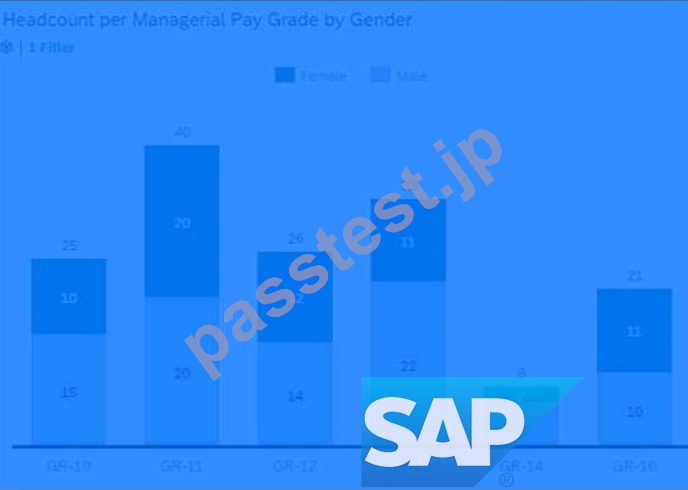
Note: There are 2 correct answers to this question.
- A. Configure a table restriction of the Global Job Information table.
- B. Duplicate the Compensation table.
- C. Change the table join to the Compensation table to an inner join.
- D. Configure a table restriction of the Compensation table.
正解:A、D
質問 # 14
When using Report Center, what permissions are required to create a canvas report on Employee Profile data using the Detailed Reporting tool?
Note: There are 3 correct answers to this question.
- A. Run Report: Employee Profile
- B. Report - Canvas Designer Admin
- C. Create Reports: Employee Profile
- D. Report - Canvas Designer
- E. Report Center
正解:B、D、E
質問 # 15
A report consumer claims that a canvas report shared with them is NO longer available in Report Center.
Upon your investigation, you find the report has been deleted. You need to reproduce the report as quickly as possible.
What action do you take?
- A. Create a new report and add orphaned pages. Share the report.
- B. Use the Recycle Bin to restore the Report.
- C. Contact Successfactors support to request the report be restored.
- D. Use the Restore Deleted Report tool to restore the report.
正解:D
質問 # 16
A report consumer claims that a canvas report shared with them is NO longer available in Report Center.
Upon your investigation, you find the report has been deleted. You need to
reproduce the report as quickly as possible.
What action do you take?
- A. Create a new report and add orphaned pages. Share the report.
- B. Use the Recycle Bin to restore the Report.
- C. Contact Successfactors support to request the report be restored.
- D. Use the Restore Deleted Report tool to restore the report.
正解:D
質問 # 17
Where can you obtain the latest versions of the standard report templates provided by SAP Success Factors?
- A. SAP PartnerEdge
- B. SAP Support Portal
- C. SuccessFactors HCM Cloud Operations Portal
- D. SAP Help Portal
正解:D
質問 # 18
You want to create a pie chart of your company's headcount by country. For each slice you want to
display the proportion by country and the country name. Which formatting options must you select?
Note: There are 2 correct answers to this question.
- A. Rolling Averaqe
- B. Chart type: Area
- C. Percent of Total
- D. Use Smart Labels
正解:C、D
質問 # 19
When you format a list report component, which actions can you perform?
Note: There are 3 correct answers to this question.
- A. Save formats to a template.
- B. Change column headers.
- C. Adjust column widths.
- D. Change column types.
- E. Change the order of columns.
正解:B、C、E
質問 # 20
When you use a column of type text as a measure in a pivot query, which of the following pivot functions are available?
Note: There are 2 correct answers to this question.
- A. Sum
- B. Distinct Count
- C. Max
- D. Concatenate
正解:B、D
質問 # 21
You want to create a page in a canvas report that includes a custom image, a user editable title centered underneath the image, and the current date in the top-right corner.
Which combinations of components can you use to accomplish this?
Note: There are 2 correct answers to this question.
- A. 1 custom image component, 1 rich text component
- B. 1 custom image component, 2 rich text components
- C. 1 custom image component, 1 rich text component, 1 simple text component
- D. 1 custom image component, 1 simple text component
正解:B、C
質問 # 22
When you create a table report, in which step can you include inactive users?
- A. Columns
- B. People
- C. General
- D. Filters
正解:B
質問 # 23
User A schedules a report in Report Center Scheduler.
What can user A achieve by enabling the Job Completion notification option for a scheduled job in the Report Center Scheduler?
- A. An e-mail is sent to the recipient of the report that the report distribution process is complete with the report.
- B. An e-mail is sent to user A after the report distribution process is complete.
- C. A notification appears for the recipient of the report on the home page after the report distribution process is complete.
- D. A notification appears for user A on the home page after the report distribution process is complete.
正解:B
質問 # 24
How can you give users permissions to see a tile?
- A. 1. Go to Admin Center.
2. Select Manage Permission Roles.
3. Select Role.
4. Click Permission.
5. Go to User Privileges -> Reports Permissions.
6. Enable Analytics Tiles and Dashboards. - B. 1. Go to Admin Center.
2. Go to User Privileges -> Report Permissions.
3. Click Permissions.
4. Select Role.
5. Select Manage Permission Roles.
6. Enable Analytics Tiles and Dashboards. - C. 1. Go to Admin Center.
2. Select User Privileges.
3. Select Role.
4. Enable Analytics Tiles and Dashboards. - D. 1. Go to Admin Center.
2. Select Role.
3. Click Permission.
4. Go to User Privileges -> Reports Permissions.
5. Enable Analytics Tiles and Dashboards.
正解:A
質問 # 25
You want to create a report that returns only employees who were born in 1961. You also want to enable the person who runs the report to specify a different birth year.
How can you achieve this?
Note: There are 2 correct answers to this question.
- A. 1. Select Date Options from the Toolbar.
2. Set Date Type to Show All.
3. Select Manage Run Time Filters from the Toolbar.
4. Expand Personal Information table.
5. Select Date of Birth column.
6. Select OK. - B. 1. Select Date Options from the Toolbar.
2. Set Date Type to As of Date.
3. Set As of Date to 1/1/1961.
4. Set Use Custom Columns.
5. Select Date of Birth from Start Date Column.
6. Select Date of Birth from End Date Column.
7. Set Selectable At Runtime. - C. 1. Select Date Options from the Toolbar.
2. Set Date Type to Date Range (On Start Date).
3. Set From date to 1/1/1961 and To date to 12/31/1961.
4. Set Use Custom Columns.
5. Select Date of Birth from Start Date Column.
6. Set Selectable At Runtime. - D. 1. Select Manage Query Filters.
2. Expand Personal Information table and select Date of Birth.
3. Select Greater than or equal to from the operator list.
4. Set Custom filter date to 1/1/1961.
5. Select OK and then select Add.
6. Expand Personal Information table and select Date of Birth.
7. Select less than or equal to from the operator list.
8. Set Custom filter date to 12/31/1961.
9. Select OK.
正解:C、D
質問 # 26
Which tool can you use to upload a report from the test instance to the production instance?
Note: There are 2 correct answers to this question.
- A. Report Distributor
- B. FTP Distribution
- C. Report Transfer
- D. Report Center
正解:C、D
質問 # 27
In a live data query, what are user-prompted filter types?
Note: There are 2 correct answers to this question.
- A. People Scope
- B. Runtime
- C. Filter Groups
- D. Dynamic
正解:A、C
質問 # 28
You want to create a page in a canvas report that includes a custom image, a user editable title centered
underneath the image, and the current date in the top-right corner.
Which combinations of components can you use to accomplish this?
Note: There are 2 correct answers to this question.
- A. 1 custom image component, 1 rich text component
- B. 1 custom image component, 2 rich text components
- C. 1 custom image component, 1 rich text component, 1 simple text component
- D. 1 custom image component, 1 simple text component
正解:B、C
質問 # 29
You support report consumers. A report consumer asks if it is possible to save the selected items when viewing the detail of a chart in a story report (see screenshot).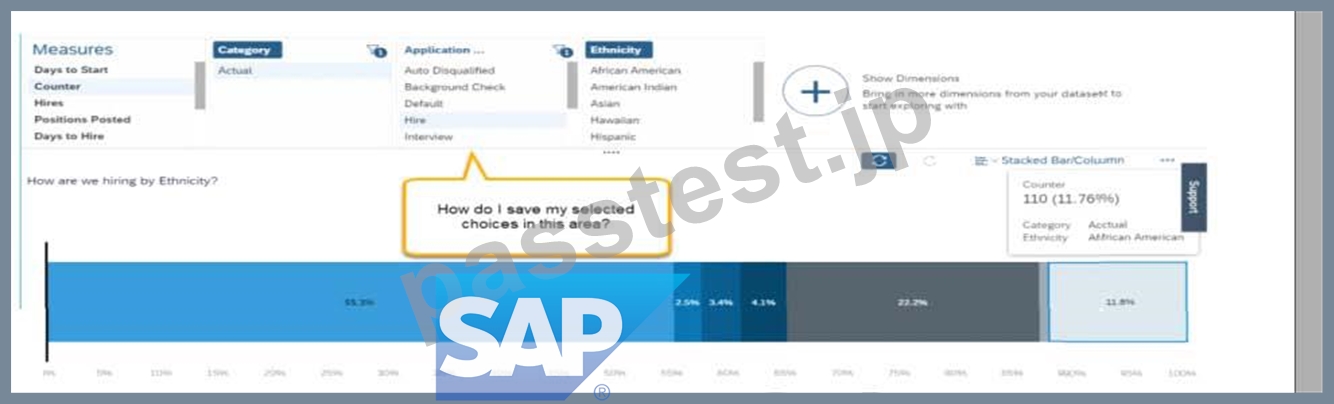
How do you tell the report consumer to save the state?
Note: There are 2 correct answers to this question.
- A. View the chart in explorer mode and choose + New View to create an explorer view.
- B. Select the chart on the canvas, view the action menu, and choose Export.
- C. View the chart in explorer mode, view the action menu, and choose Export.
- D. Select the chart on the canvas, view the bookmark menu and choose Bookmark Current State.
正解:C、D
質問 # 30
You are using a pivot table in your canvas report but the report does NOT display the most recent data.
What could be the reason?
- A. You are using the percent of total option.
- B. You are NOT using a template.
- C. You are using a query with a static date filter.
- D. You are using a wrong People Scope.
正解:C
質問 # 31
......
正真正銘のC_THR92_2305問題集には100%合格率練習テスト問題集:https://www.passtest.jp/SAP/C_THR92_2305-shiken.html
更新されたプレミアムC_THR92_2305試験エンジンPDF:https://drive.google.com/open?id=1HswCqSo3gmIIlXiUJN1TfiFnSejNeDL6