

CKA試験正確な問題集、学習ノートと理論 [2024年02月]
100%高得点合格保証CKA無制限68解答
CKA認定は、Kubernetesをコンテナオーケストレーションプラットフォームとして使用する組織にとって高く評価されています。これは、個人のKubernetes管理スキルと知識の証明であり、彼らの生産環境でKubernetesを使用する能力を示しています。 CKA認定は、Certified Kubernetes Application Developer(CKAD)やKubernetes Security Specialist(CKS)など、他のKubernetes認定の前提条件でもあります。
質問 # 28
Create a deployment called webapp with image nginx having 5 replicas in it, put the file in /tmp directory with named webapp.yaml
- A. //Create a file using dry run command
kubectl create deploy --image=nginx --dry-run -o yaml >
/tmp/webapp.yaml
// Now, edit file webapp.yaml and update replicas=5
apiVersion: apps/v1
kind: Deployment
metadata:
labels:
app: webapp
name: webapp
spec:
replicas: 5
selector:
matchLabels:
app: webapp
template:
metadata:
labels:
app: webapp
spec:
containers:
- image: nginx
name: nginx
Note: Search "deployment" in kubernetes.io site , you will get
the page
https://kubernetes.io/docs/concepts/workloads/controllers/deplo
yment/
// Verify the Deployment
kubectl get deploy webapp --show-labels
// Output the YAML file of the deployment webapp
kubectl get deploy webapp -o yaml - B. //Create a file using dry run command
kubectl create deploy --image=nginx --dry-run -o yaml >
/tmp/webapp.yaml
// Now, edit file webapp.yaml and update replicas=5
apiVersion: apps/v1
kind: Deployment
metadata:
labels:
app: webapp
name: webapp
spec:
replicas: 5
selector:
matchLabels:
app: webapp
template:
metadata:
labels:
Note: Search "deployment" in kubernetes.io site , you will get
the page
https://kubernetes.io/docs/concepts/workloads/controllers/deplo
yment/
// Verify the Deployment
kubectl get deploy webapp --show-labels
// Output the YAML file of the deployment webapp
kubectl get deploy webapp -o yaml
正解:A
質問 # 29
Create a namespace called 'development' and a pod with image nginx called nginx on this namespace.
正解:
解説:
kubectl create namespace development kubectl run nginx --image=nginx --restart=Never -n development
質問 # 30
Create and configure the service front-end-service so it's accessible through NodePort and routes to the existing pod named front-end.
正解:
解説:
solution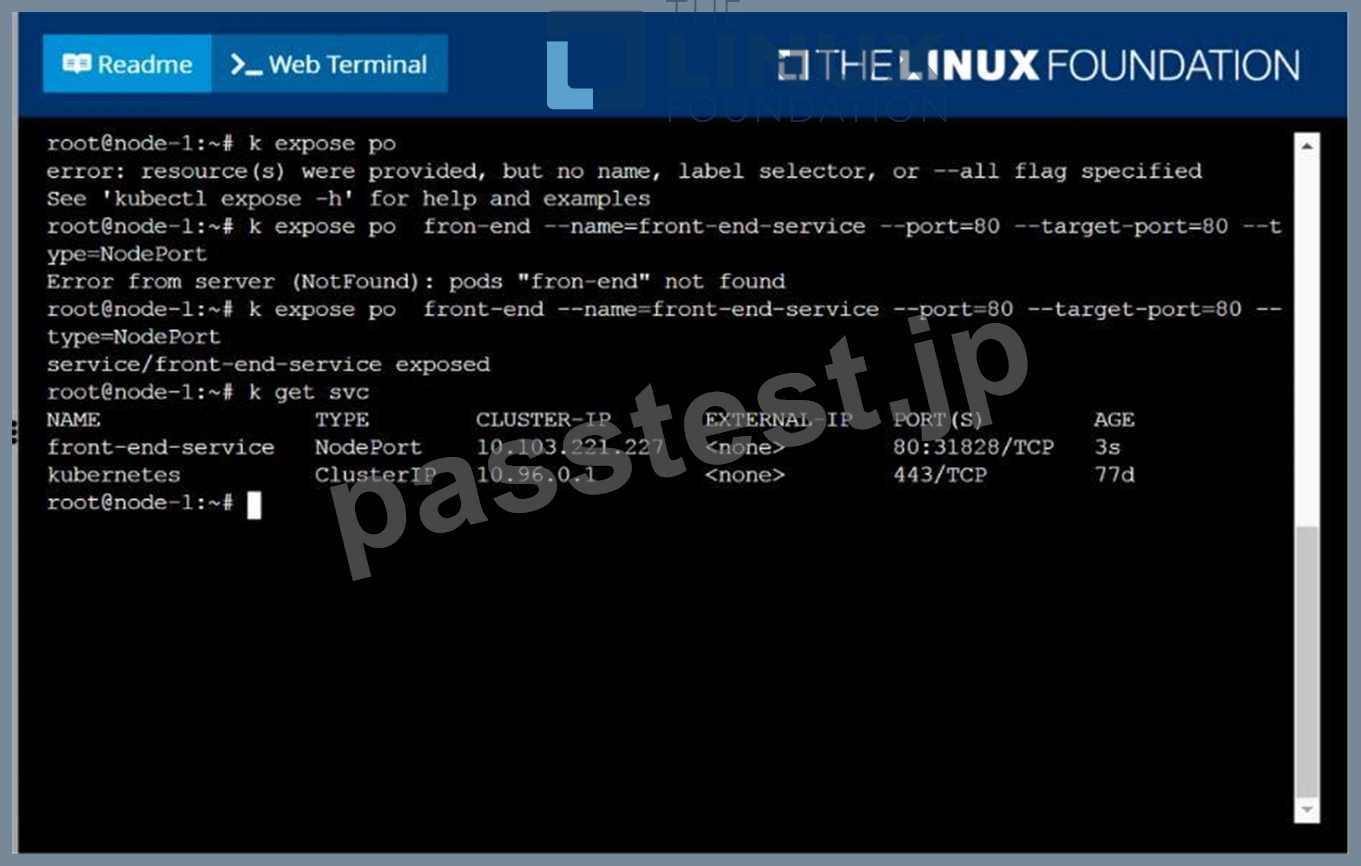
質問 # 31
Check the image version in pod without the describe command
正解:
解説:
kubectl get po nginx -o
jsonpath='{.spec.containers[].image}{"\n"}'
質問 # 32
Create 5 nginx pods in which two of them is labeled env=prod and
three of them is labeled env=dev
- A. kubectl run nginx-dev1 --image=nginx --restart=Never --
labels=env=dev
kubectl run nginx-dev2 --image=nginx --restart=Never --
labels=env=dev
kubectl run nginx-dev3 --image=nginx --restart=Never --
labels=env=dev
kubectl run nginx-prod1 --image=nginx --restart=Never --
labels=env=prod
kubectl run nginx-prod2 --image=nginx --restart=Never --
labels=env=prod - B. kubectl run nginx-dev1 --image=nginx --restart=Never --
labels=env=dev
kubectl run nginx-dev2 --image=nginx --restart=Never --
labels=env=dev
kubectl run nginx-prod1 --image=nginx --restart=Never --
labels=env=prod
kubectl run nginx-prod2 --image=nginx --restart=Never --
labels=env=prod
正解:A
質問 # 33
Create a pod as follows:
Name: mongo
Using Image: mongo
In a new Kubernetes namespace named: my-website
正解:
解説:
solution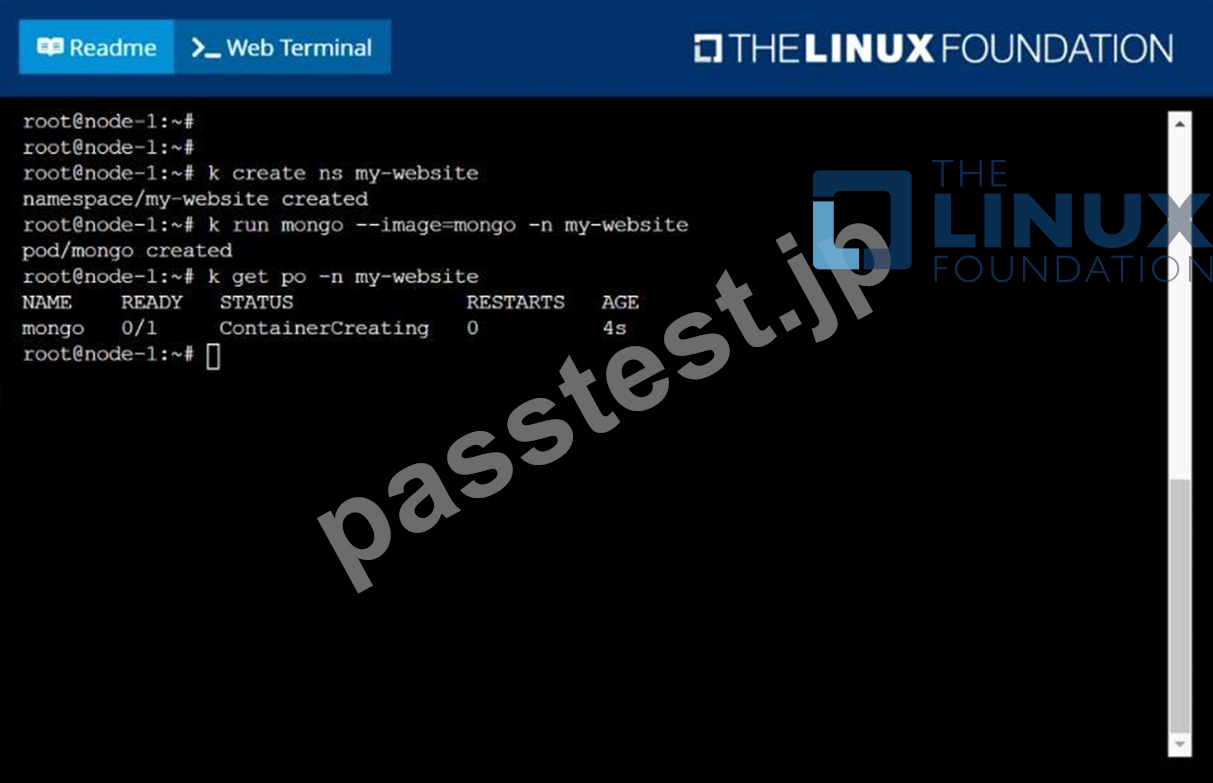
質問 # 34
Create a pod with environment variables as var1=value1.Check the environment variable in pod
正解:
解説:
kubectl run nginx --image=nginx --restart=Never --env=var1=value1
# then
kubectl exec -it nginx -- env
# or
kubectl exec -it nginx -- sh -c 'echo $var1'
# or
kubectl describe po nginx | grep value1
質問 # 35
Create and configure the service front-end-service so it's accessible through NodePort and routes to the existing pod named front-end.
正解:
解説:
See the solution below.
Explanation
solution
F:\Work\Data Entry Work\Data Entry\20200827\CKA\8 B.JPG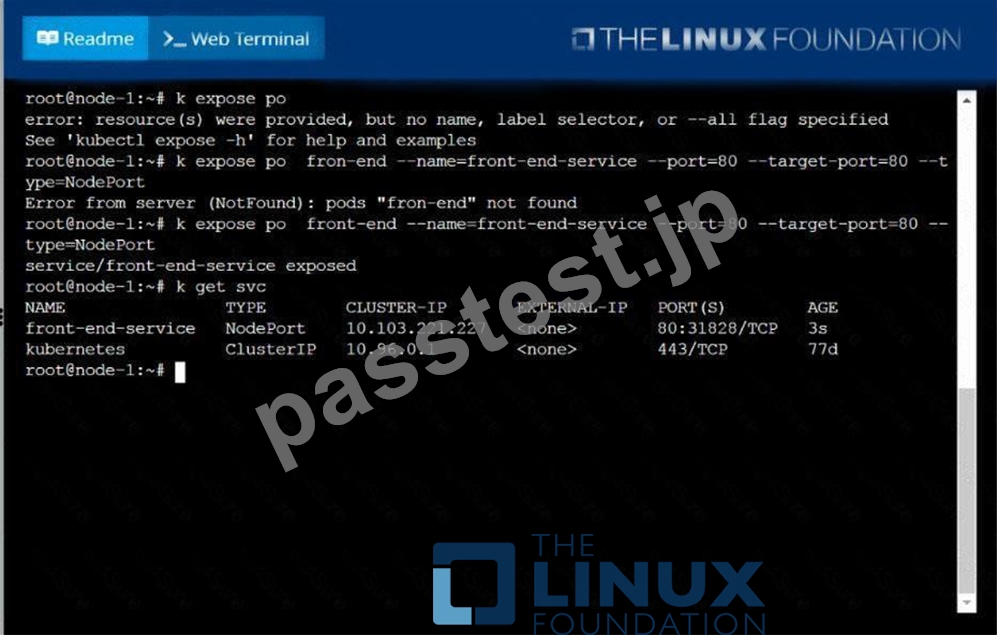
質問 # 36
Create a pod with init container which waits for a service called "myservice" to be created. Once init container completes, the myapp-container should start and print a message "The app is running" and sleep for 3600 seconds.
- A. vim multi-container-pod.yaml
apiVersion: v1
kind: Pod
metadata:
name: myapp-pod
labels:
app: myapp
spec:
containers:
- name: myapp-container
image: busybox:1.28
command: ['sh', '-c', 'echo The app is running! && sleep
3600']
initContainers:
- name: init-myservice
image: busybox:1.28
command: ['sh', '-c', "until nslookup myservice.$(cat
/var/run/secrets/kubernetes.io/serviceaccount/namespace).s
vc.cluster.local; do echo waiting for myservice; sleep 2;
done"]
// Check whether service called "myservice" exists
kubectl get svc
Note: Pod will not start if service called "myservice" doesn't
exist.
// Now, Create the pod
kubectl apply -f multi-container-pod.yaml - B. vim multi-container-pod.yaml
apiVersion: v1
kind: Pod
metadata:
name: myapp-pod
labels:
app: myapp
spec:
containers:
- name: myapp-container
image: busybox:1.28
command: ['sh', '-c', 'echo The app is running! && sleep
3600']
initContainers:
- name: init-myservice
done"]
// Check whether service called "myservice" exists
kubectl get svc
Note: Pod will not start if service called "myservice" doesn't
exist.
// Now, Create the pod
kubectl apply -f multi-container-pod.yaml
正解:A
質問 # 37
Set CPU and memory requests and limits for existing pod name
"nginx-prod".
Set requests for CPU and Memory as 100m and 256Mi respectively
Set limits for CPU and Memory as 200m and 512Mi respectively
- A. kubectl get po
kubectl set resources po nginx-prod --
limits=cpu=200m,memory=512Mi --requests=cpu=100m,memory=256Mi
//Verify
kubectl top po
kubectl describe po nginx-prod - B. kubectl get po
kubectl set resources po nginx-prod --
limits=cpu=200m,memory=512Mi --requests=cpu=100m,memory=256Mi
//Verify
kubectl describe po nginx-prod
正解:A
質問 # 38
Make the node schedulable by uncordon the node
正解:
解説:
kubectl uncordon node-1 //verify kubectl get no
質問 # 39
Create a pod namedkucc8with asingle app container for each of the
following images running inside(there may be between 1 and 4images specified):
nginx + redis + memcached.
正解:
解説:
See the solution below.
Explanation
solution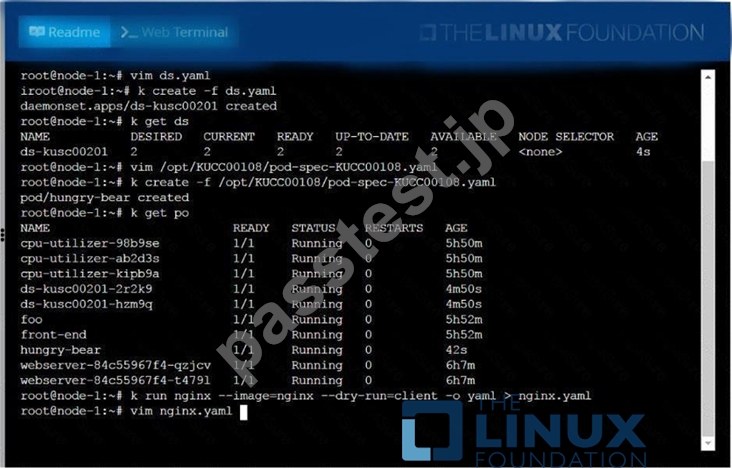
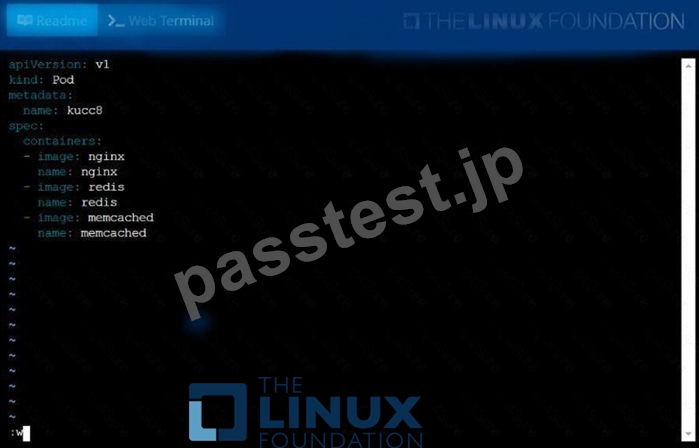
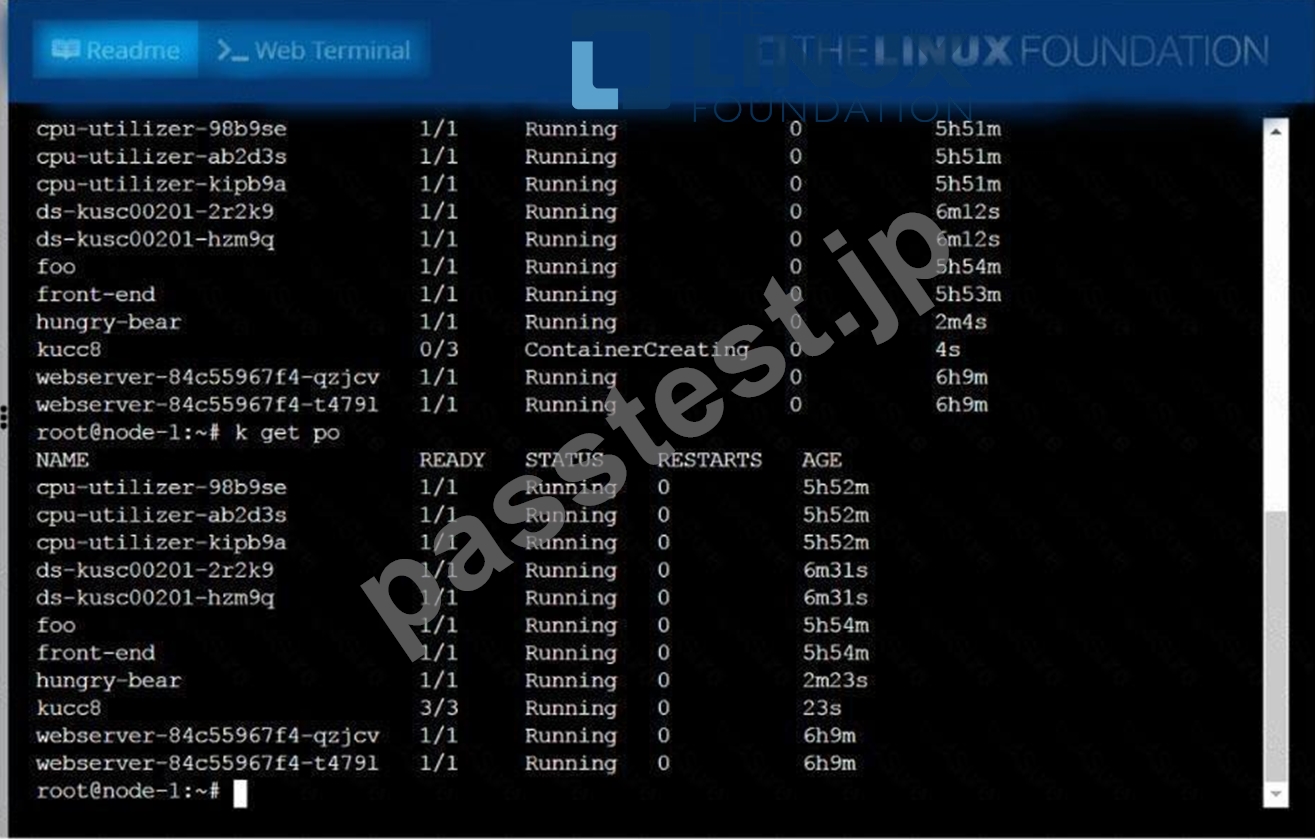
質問 # 40
Get the memory and CPU usage of all the pods and find out top 3 pods which have the highest usage and put them into the cpuusage.txt file
- A. // Get the top 3 pods
kubectl top pod --all-namespaces | sort --reverse --key 3 --
numeric | head -8
// putting into file
kubectl top pod --all-namespaces | sort --reverse --key 6 --
numeric | head -6 > cpu-usage.txt
// verify
cat cpu-usage.txt - B. // Get the top 3 pods
kubectl top pod --all-namespaces | sort --reverse --key 3 --
numeric | head -3
// putting into file
kubectl top pod --all-namespaces | sort --reverse --key 3 --
numeric | head -3 > cpu-usage.txt
// verify
cat cpu-usage.txt
正解:B
質問 # 41
From the pod label name=cpu-utilizer, find pods running high CPU workloads and write the name of the pod consuming most CPU to the file /opt/KUTR00102/KUTR00102.txt (which already exists).
正解:
解説:
See the solution below.
Explanation
solution
F:\Work\Data Entry Work\Data Entry\20200827\CKA\16 B.JPG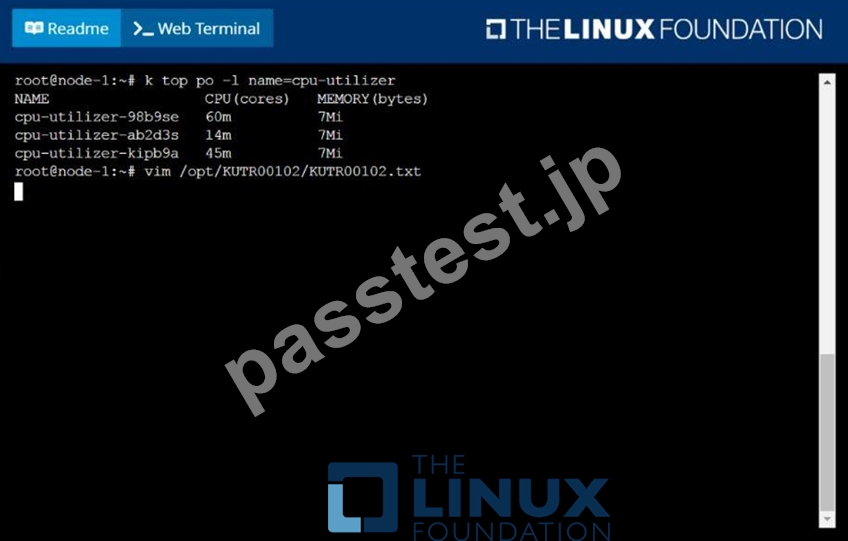
F:\Work\Data Entry Work\Data Entry\20200827\CKA\16 C.JPG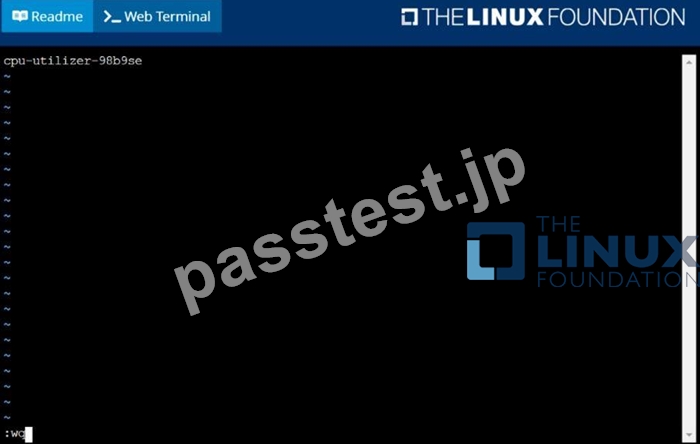
質問 # 42
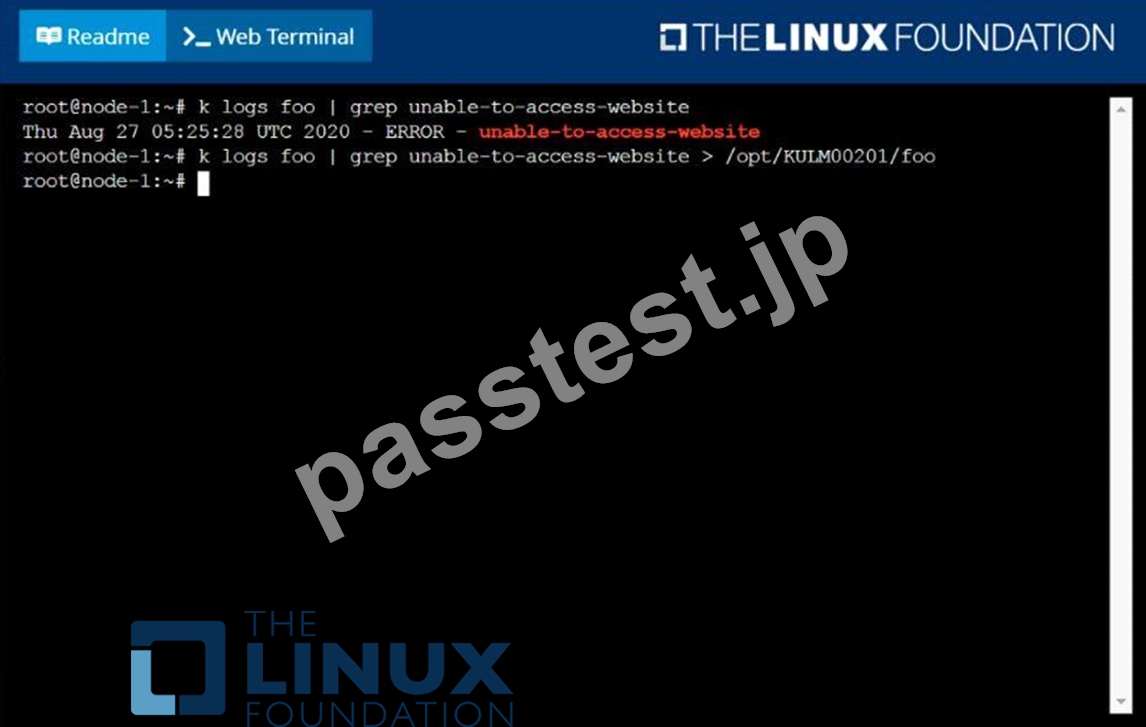
Monitor the logs of pod foo and:
Extract log lines corresponding to error
unable-to-access-website
Write them to /opt/KULM00201/foo
正解:
解説:
solution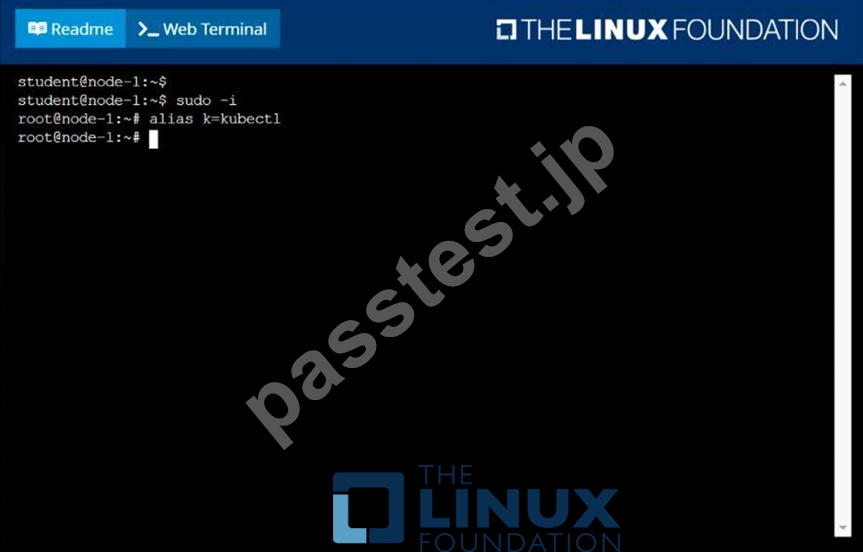
質問 # 43
Pause the rollout of the deployment
正解:
解説:
kubectl rollout pause deploy webapp
質問 # 44
Create a pod as follows:
Name: non-persistent-redis
container Image: redis
Volume with name: cache-control
Mount path: /data/redis
The pod should launch in the staging be persistent.
正解:
解説:
See the solution below.
Explanation
solution
F:\Work\Data Entry Work\Data Entry\20200827\CKA\13 B.JPG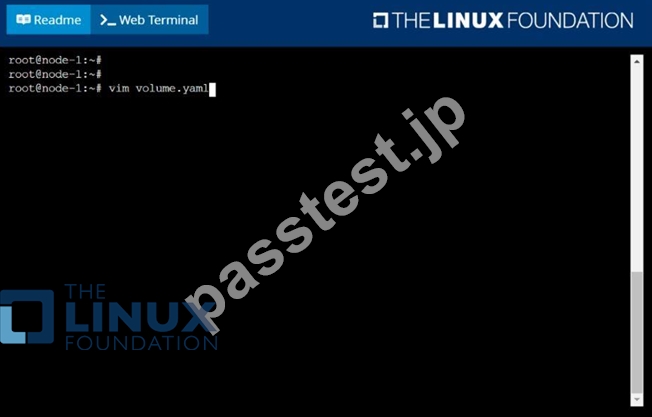
F:\Work\Data Entry Work\Data Entry\20200827\CKA\13 C.JPG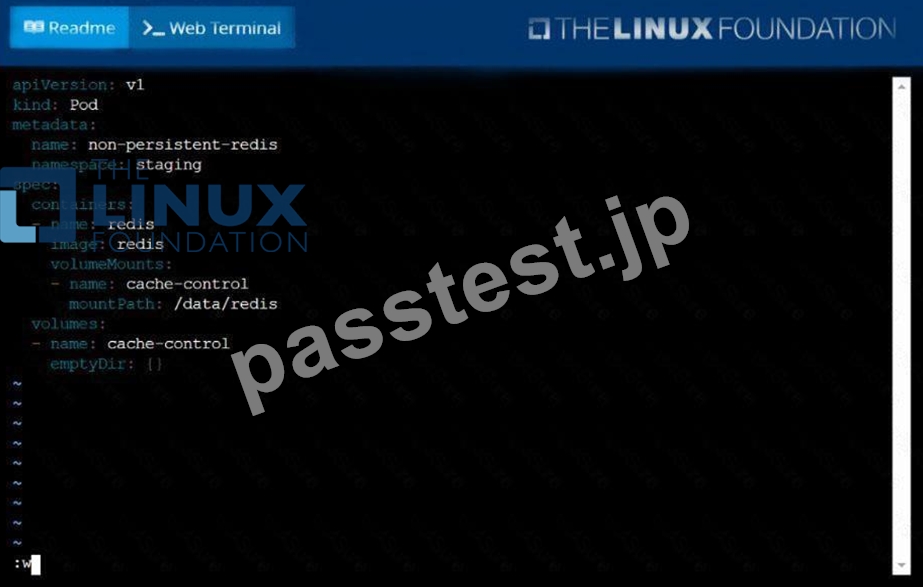
F:\Work\Data Entry Work\Data Entry\20200827\CKA\13 D.JPG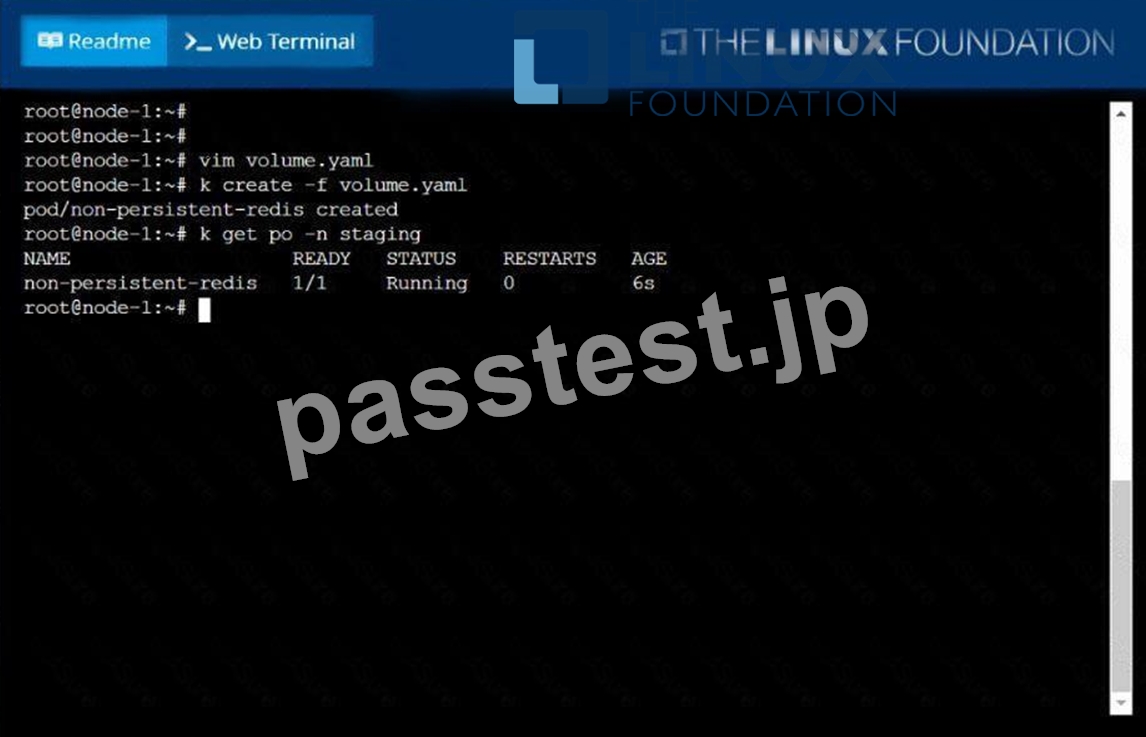
質問 # 45
A bootstrap USB flash drive has been prepared using a Linux workstation to load the initial configuration of a Palo Alto Networks firewall. The USB flash drive was formatted using file system ntfs and the initial configuration is stored in a file named init-cfg.txt.
The contents of Init-cfg.txt in the USB flash drive are as follows:
type=static
ip-address=10.5.107.19
default-gateway=10.5.107.1
netmask=255.255.255.0
Ipv6-address=2001:400:100::1/64
ipv6-default-gateway=2001:400:100::2
hostname=Ca-FW-DC1
panorama-server=10.5.107.20
panorama-server-2=10.5.107.21
tplname=FINANCE TG4
dgname=finance_dg
dns-primary=10.5.6.6
op-command-modes multi-vsys.jumbo-frame
dhcp-send-hostname=no
dhcp-send-client-id=no
dhcp-accept-server-hostname=no
dhcp-accept-server-domain=no
The USB flash drive has been inserted in the firewalls' USB port, and the firewall has been powered on.Upon boot, the firewall fails to begin the bootstrapping process. The failure is caused because:
- A. There must be commas between the parameter names and their values instead of the equal symbols
- B. The USB must be formatted using the ext4 file system
- C. The bootstrap.xml file is a required file, but it is missing
- D. nit-cfg bit is an incorrect filename the correct filename should be init-ofg.xml
- E. The USB drive has been formatted with an unsupported file system
正解:B
質問 # 46
Create a deployment as follows:
Name: nginx-random
Exposed via a service nginx-random
Ensure that the service & pod are accessible via their respective DNS records The container(s) within any pod(s) running as a part of this deployment should use the nginx Image Next, use the utility nslookup to look up the DNS records of the service & pod and write the output to
/opt/KUNW00601/service.dns and /opt/KUNW00601/pod.dns respectively.
正解:
解説:
See the solution below.
Explanation
Solution:
F:\Work\Data Entry Work\Data Entry\20200827\CKA\17 C.JPG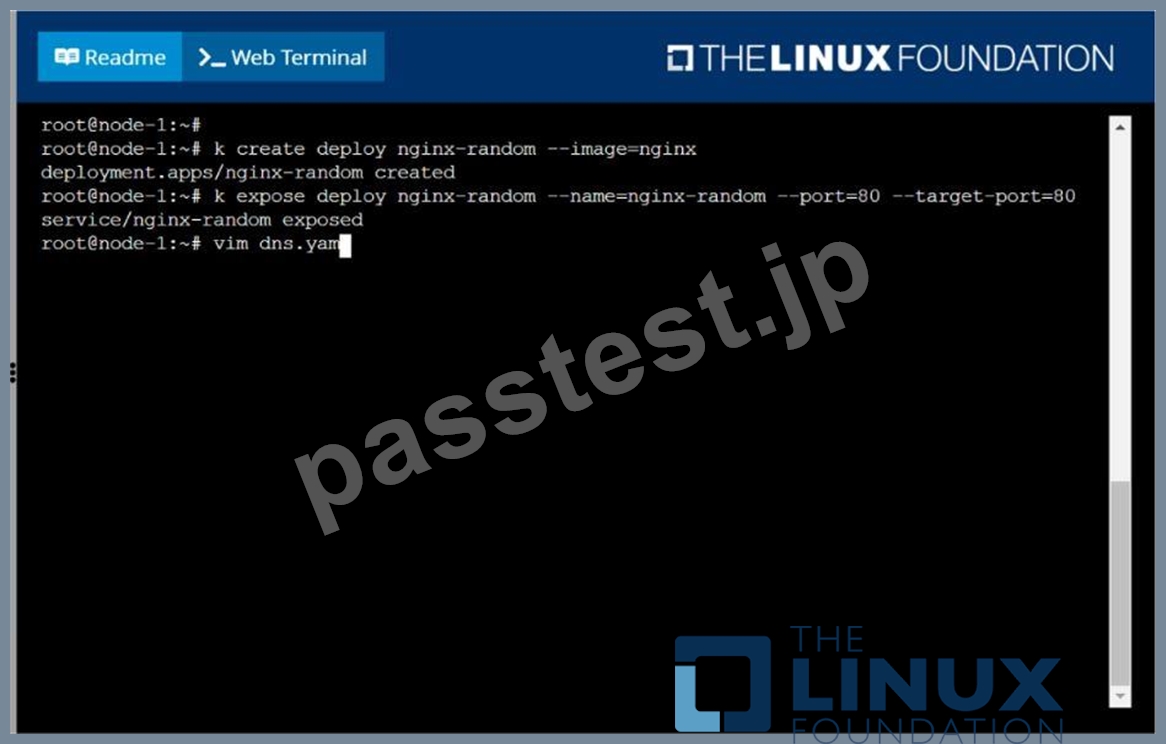
F:\Work\Data Entry Work\Data Entry\20200827\CKA\17 D.JPG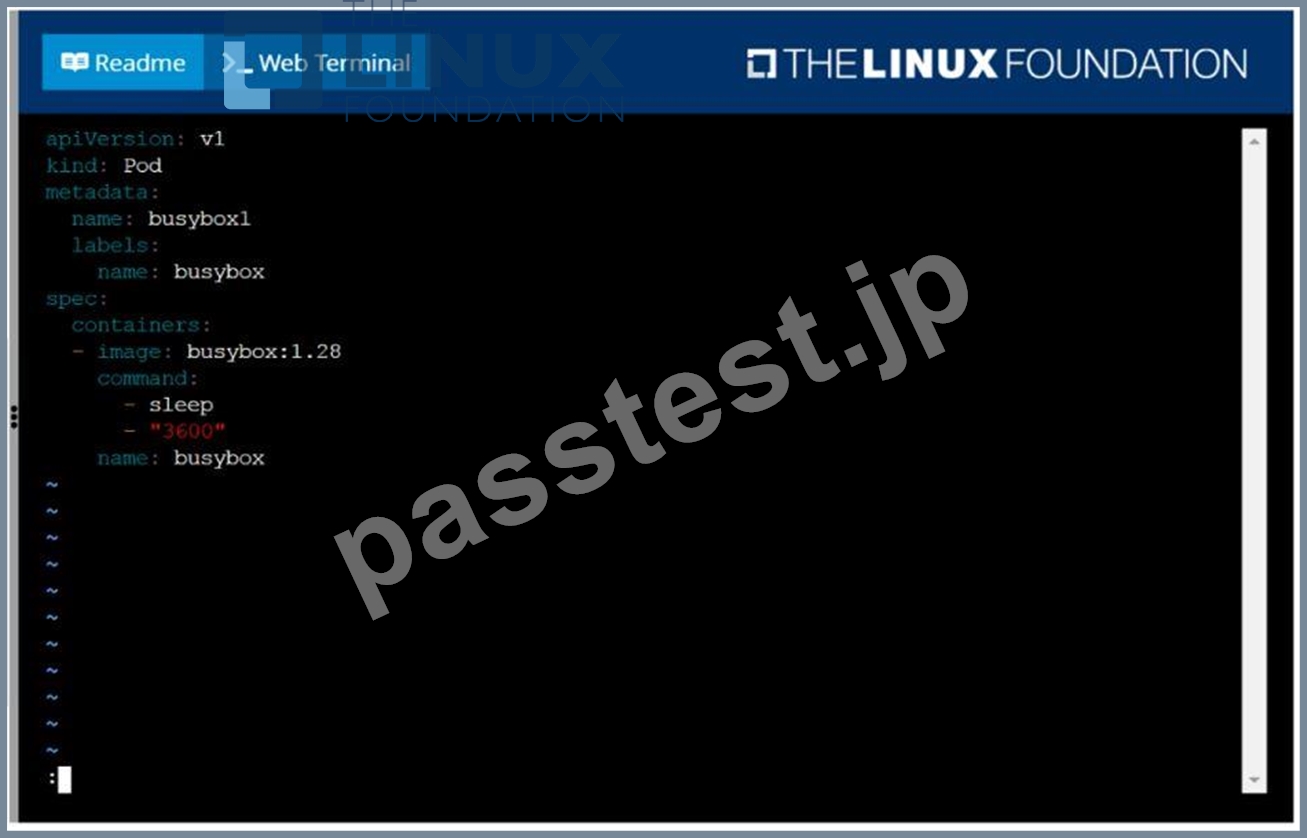
F:\Work\Data Entry Work\Data Entry\20200827\CKA\17 E.JPG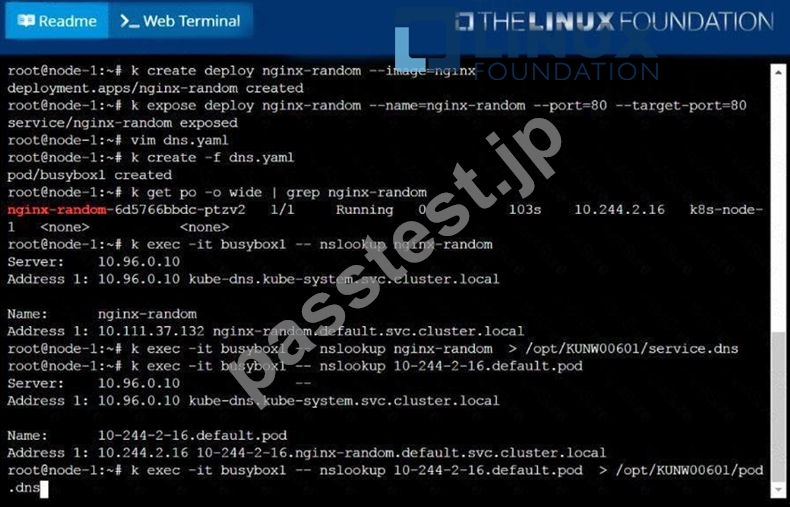
質問 # 47
Label a node as app=test and verify
正解:
解説:
kubectl label node node-name app=test // Verify kubectl get no -show-labels kubectl get no -l app=test
質問 # 48
Create a pod that having 3 containers in it? (Multi-Container)
正解:
解説:
See the solution below.
Explanation
image=nginx, image=redis, image=consul
Name nginx container as "nginx-container"
Name redis container as "redis-container"
Name consul container as "consul-container"
Create a pod manifest file for a container and append container
section for rest of the images
kubectl run multi-container --generator=run-pod/v1 --image=nginx --
dry-run -o yaml > multi-container.yaml
# then
vim multi-container.yaml
apiVersion: v1
kind: Pod
metadata:
labels:
run: multi-container
name: multi-container
spec:
containers:
- image: nginx
name: nginx-container
- image: redis
name: redis-container
- image: consul
name: consul-container
restartPolicy: Always
質問 # 49
......
CKA 認定資格は、Kubernetes で作業するシステム管理者、開発者、IT プロフェッショナルに最適であり、彼らのスキルと知識を認証することができます。この認定は、個人の就職市場での競争力を高め、コンテナ化とクラウドコンピューティング分野での新しいキャリア機会を開拓することができます。また、Google、Microsoft、Red Hat などの業界をリードする企業にも認知されており、プロフェッショナルの履歴書にとって有益な追加要素となります。
CKA問題集PDF、CKA最速合格したいなら:https://www.passtest.jp/Linux-Foundation/CKA-shiken.html
CKA練習試験問題集試験:https://drive.google.com/open?id=1GUqOlGsq9vi-KFF13T2PKLgC-vnuvqF_